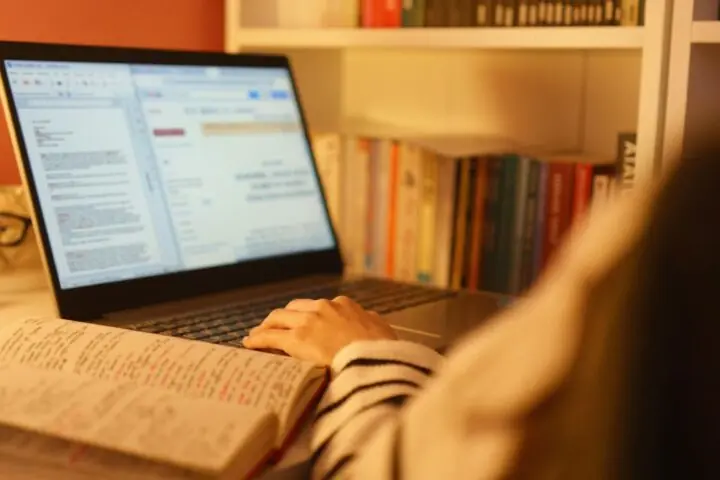
4 Contoh Procedure Text tentang Benda Bahasa Inggris dan Artinya
Ingin tahu contoh procedure text dalam menggunakan sebuah benda? Yuk, simak artikel ini!


 Ikuti Mamikos Info di Google
Jadikan Mamikos Info sumber informasi pilihan Anda
Terjemahan
Cara Menggunakan Sumpit
- Mulailah dengan memegang satu sumpit di setiap tangan, lalu letakkan sumpit secara sejajar satu sama lain, dengan ujung yang lebih kecil di bagian atas.
- Genggam sumpit pertama di antara ibu jari dan sisi jari telunjuk Anda. Letakkan di dekat bagian atas dan pegang dengan kuat.
- Pegang sumpit kedua di antara ibu jari dan ujung jari tengah serta jari telunjuk Anda. Sumpit ini seharusnya berada tepat di atas sumpit pertama.
- Pertahankan sumpit bawah tetap diam dan tidak boleh bergerak saat Anda menggunakan sumpit atas.
- Latihan gerakan penjepit dengan perlahan menggerakkan sumpit atas (yang dipegang oleh ibu jari, jari tengah, dan jari telunjuk) menuju sumpit bawah yang tidak bergerak.
- Gunakan ibu jari dan jari Anda untuk mengontrol gerakan dan sesuaikan celah antara sumpit sesuai dengan kebutuhan Anda.
- Mulai berlatih dengan mengambil makanan yang lebih besar dan lebih mudah untuk dipegang, seperti tahu atau gulungan sushi.
- Untuk benda-benda kecil, dekatkan ujung sumpit, dan untuk benda-benda yang lebih besar, bukalah jaraknya.
- Latihanlah untuk menjaga keseimbangan dan kendali ketika mengangkat dan membawa makanan ke mulut Anda.
Contoh Procedure Text 3
How to Use Air Fryer
- Check the basket or tray for any leftover food debris or grease, and clean it if necessary.
- If your air fryer has a preheat function, turn it on and set the desired temperature. Preheating helps achieve better cooking results.
- Choose the food you want to cook or reheat in the air fryer, such as frozen foods, chicken, fish, and more.
- Season or marinate your food as desired.
- Open the air fryer’s basket or pull out the tray.
- Arrange the food in a single layer in the basket or on the tray. Avoid overcrowding, as this can affect the cooking process.
- Use the air fryer’s control panel to set the cooking temperature and time.
- Close the air fryer’s basket or tray and press the “Start” or “On” button to begin the cooking process.
- Keep an eye on the cooking process through the transparent window or by opening the air fryer carefully to avoid burns.
- When the cooking time is complete and the food is golden brown and crispy, use oven mitts to carefully remove the basket or tray from the air fryer.
- Switch off the air fryer and disconnect it from the power supply.
- Allow the appliance to cool down, and then clean the basket or tray, as well as any removable parts, with warm, soapy water.
Terjemahan
Cara Memakai Penggorengan Udara
- Periksa keranjang atau loyang untuk memastikan tidak ada sisa makanan atau minyak bekas, dan bersihkan jika perlu.
- Jika penggorengan udara Anda memiliki fungsi pemanasan sebelumnya, hidupkan dan atur suhu yang diinginkan. Pemanasan awal membantu mencapai hasil memasak yang lebih baik.
- Pilih makanan yang ingin Anda masak atau panaskan di dalam penggorengan udara, seperti makanan beku, ayam, ikan, dan lain sebagainya.
- Bumbui atau marinasi makanan sesuai keinginan Anda.
- Buka keranjang atau tarik keluar loyang.
- Susun makanan dalam satu lapisan di keranjang atau di loyang. Hindari penumpukan yang berlebihan, karena ini dapat memengaruhi proses memasak.
- Gunakan panel kontrol pada penggorengan udara untuk mengatur suhu dan waktu memasak.
- Tutup keranjang atau loyang air fryer dan tekan tombol “Mulai” atau “On” untuk memulai proses memasak.
- Awasi proses memasak melalui jendela transparan atau dengan membuka keranjang/loyang hati-hati untuk menghindari luka bakar.
- Ketika waktu memasak selesai dan makanan berwarna kecoklatan dan renyah, gunakan sarung tangan tahan panas untuk hati-hati mengeluarkan keranjang atau loyang.
- Matikan air fryer dan cabut dari sumber daya listrik.
- Biarkan alat pendingin, lalu bersihkan keranjang atau loyang, serta bagian-bagian yang dapat dilepas dengan air hangat dan sabun.

Contoh Procedure Text 4
How to Use Laptop
- Locate the power button, usually found near the keyboard or on the side of your laptop.
- Press and hold the power button until the laptop starts up. You will see the manufacturer’s logo and the desktop screen.
- Once the laptop boots up, you’ll typically be prompted to log in with a username and password, PIN, or fingerprint scan, depending on your laptop’s security settings.
- Familiarize yourself with the desktop layout, you’ll usually find icons for files, folders, and applications.
- If you’re not already connected to the internet, click on the Wi-Fi icon in the system tray (usually located in the bottom-right corner).
- Select your Wi-Fi network, enter the password if prompted, and wait for the connection to establish.
- Click on the Start button or open the Dock to access a list of installed applications and settings.
- To customize your laptop’s settings, open the “Settings” or “Control Panel” (found in the Start Menu or Dock).
- When you’re done using your laptop, you can choose to shut it down completely or put it to sleep.
- To put your laptop to sleep, simply close the lid or use the sleep/hibernate option in the Start Menu or Dock.
- When your laptop’s battery is low, connect the charger to the laptop and plug it into a power outlet.
- When you’re finished using your laptop, close the lid and store it in a protective case or sleeve to prevent damage.
Halaman:
 Advertisement
Klik dan dapatkan info kost di dekat kampus idamanmu:
Kost Dekat UGM Jogja
Kost Dekat UNPAD Jatinangor
Kost Dekat UNDIP Semarang
Kost Dekat UI Depok
Kost Dekat UB Malang
Kost Dekat Unnes Semarang
Kost Dekat UMY Jogja
Kost Dekat UNY Jogja
Kost Dekat UNS Solo
Kost Dekat ITB Bandung
Kost Dekat UMS Solo
Kost Dekat ITS Surabaya